VR in DCS World gives you the cockpit. What it takes away is everything on your desk: the throttle you're hunting for, the keyboard you need for a comms menu, the kneeboard chart you wanted to check on the way to the target. Mixed reality fixes that — instead of an all-or-nothing view, you cut windows of real world into VR, exactly where your hardware sits.
Sixty seconds: what mixed reality looks like from the DCS cockpit.
How mixed reality works in DCS
DCS itself has no passthrough. The trick lives one layer lower. PassthroughForge installs as an OpenXR layer, which means it draws inside the VR frame DCS hands to your headset — no mod, no game files touched.
Punch a hole, let reality through
You draw a shape — a rectangle over the throttle, an outline around the stick, a panel where your kneeboard lives. PassthroughForge fills that shape with a chroma-key colour in the VR image. Virtual Desktop recognises that colour and swaps it for the live feed from the Quest 3's cameras. The result: a clean cut-out of the real world, sitting in your virtual cockpit, moving with your head exactly like the rest of the scene.
Because it's a shape and not a rectangle-only overlay, you can trace the actual outline of your hardware. The cockpit stays immersive; only the parts you asked for become real.
See your HOTAS, keyboard and switch panels
This is the reason most DCS pilots install it. Four ways to make a cut-out, depending on how precise you want to be:
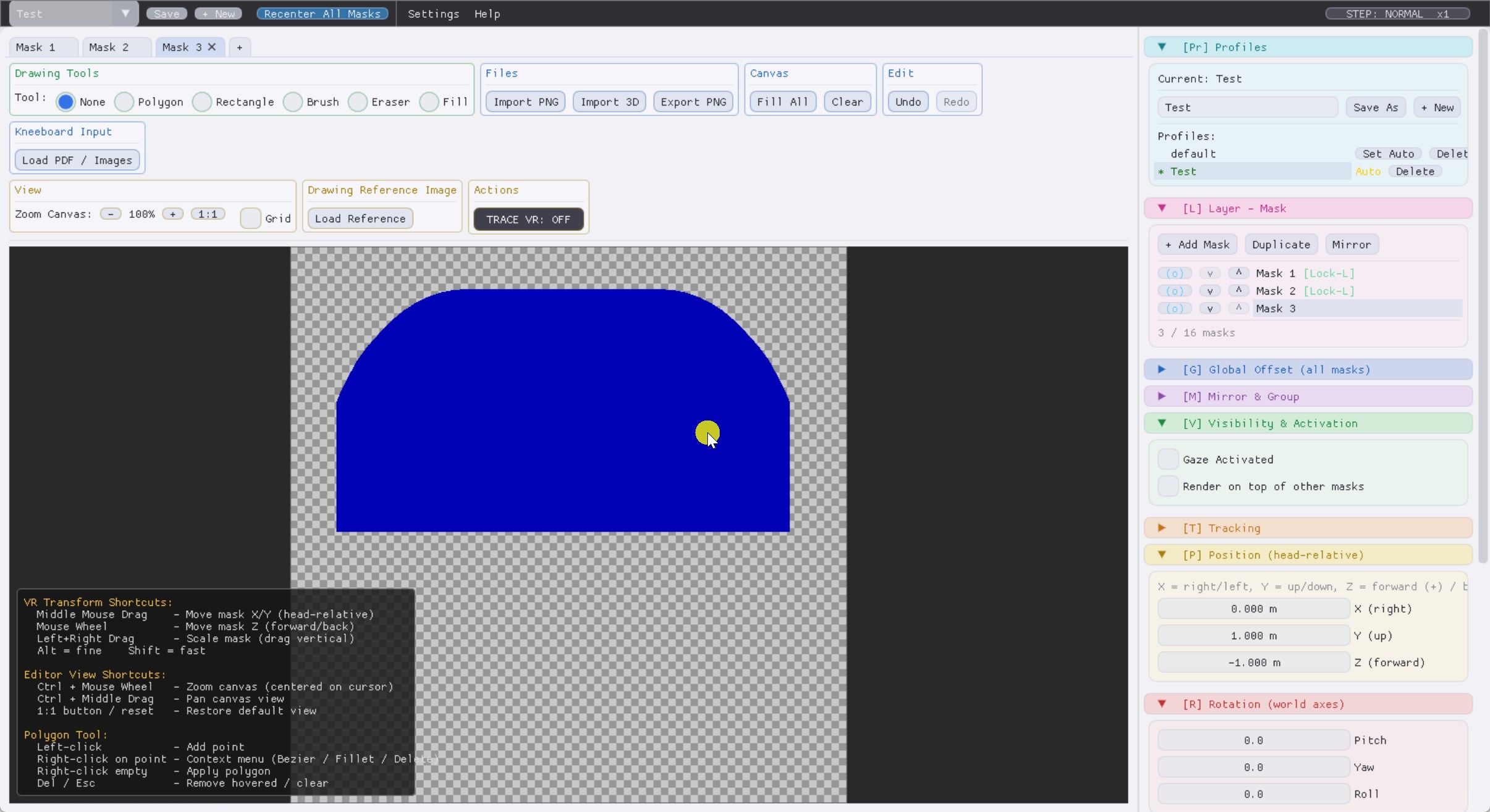
Rectangle for a quick window, polygon or freehand to trace hardware exactly.
Draw once, fly with it forever
Cut a window over the Warthog throttle, trace the outline of a Cougar MFD stack, or open a strip along the bottom edge for the keyboard. Save the layout as a profile — one per aircraft if you like — and it comes back with one click. Switch from the Hornet to the Apache and your cut-outs follow the airframe.
The automatic DCS kneeboard
Charts and briefings are the other half of the problem — and where DCS-specific integration beats a generic passthrough tool.
It reads the mission you just loaded
Load a mission and the kneeboard panel fills itself: the mission's own kneeboard
pages, the briefing, and your aircraft's kneeboard
folder — pulled straight out of the .miz and your DCS install, sorted into
tabs. Change aircraft or mission and it re-reads on the fly. Nothing to export, nothing to
drag into a folder before each flight.
You can also pin your own material next to it: a PDF approach chart, a screenshot, a checklist image — as a floating panel wherever you want it in the cockpit.
Radio calls you can actually read — and a live moving map
DCS subtitles vanish after a few seconds, usually right when the tanker gives you a heading. A small Lua hook (loopback only, nothing leaves your PC) feeds them to a VR panel instead.
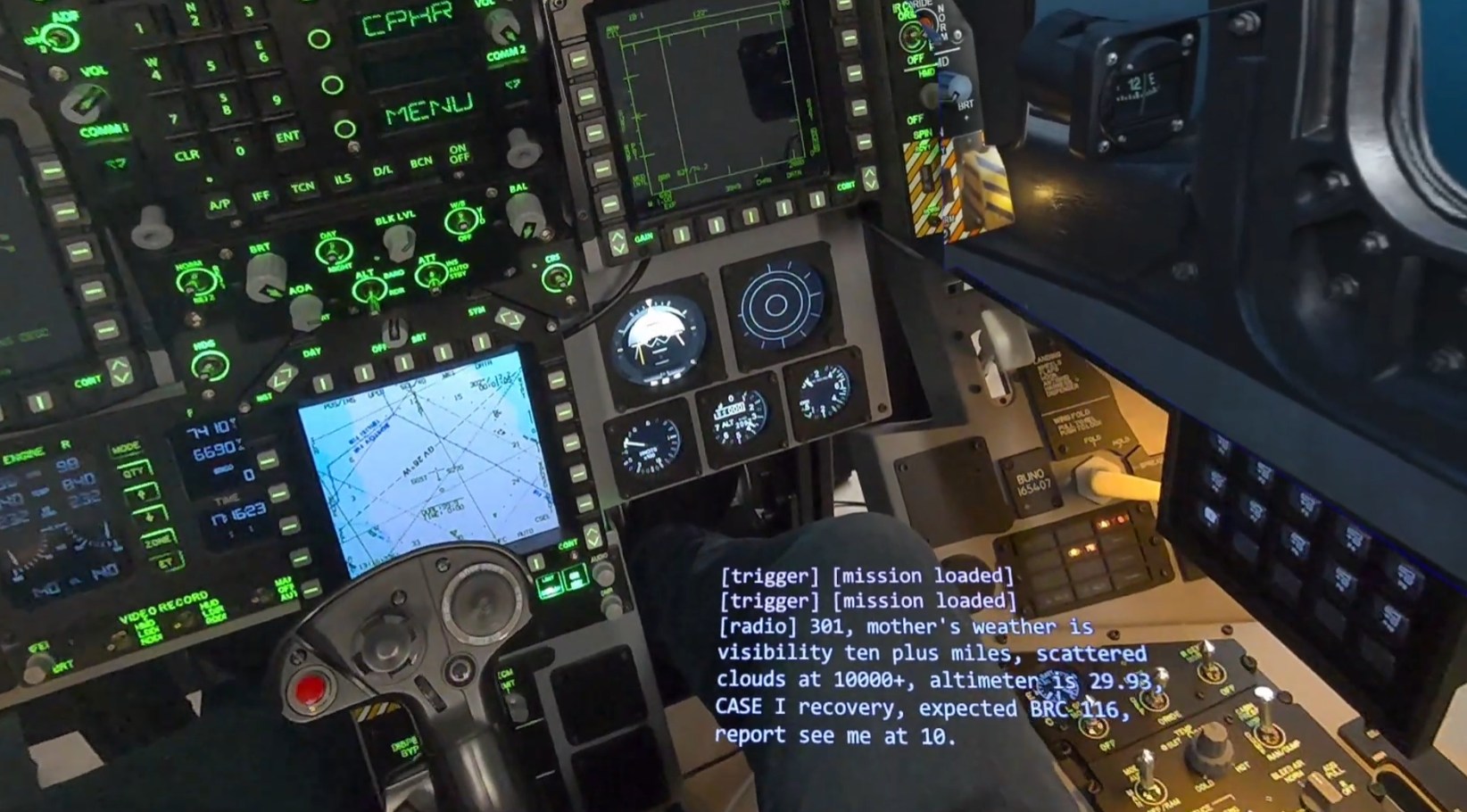
Radio calls and trigger texts stay on a panel until you're done with them.
Moving map with units
A theatre map that follows your aircraft, with friendly and enemy units drawn on it — parked on your knee or clipped beside the MFDs, wherever you'd rather look than at a second monitor you can't see anyway.
Multiplayer note: the hook lives in Scripts\Hooks\ and counts as a client-side
mod. Most servers don't mind; strict-integrity ones might. Pull the file for that session and
everything else keeps working — details in the
FAQ.
Cockpit rigs and motion platforms
A window that's world-locked assumes the world holds still. Pit builders and motion-rig pilots need the cut-out welded to the hardware instead.
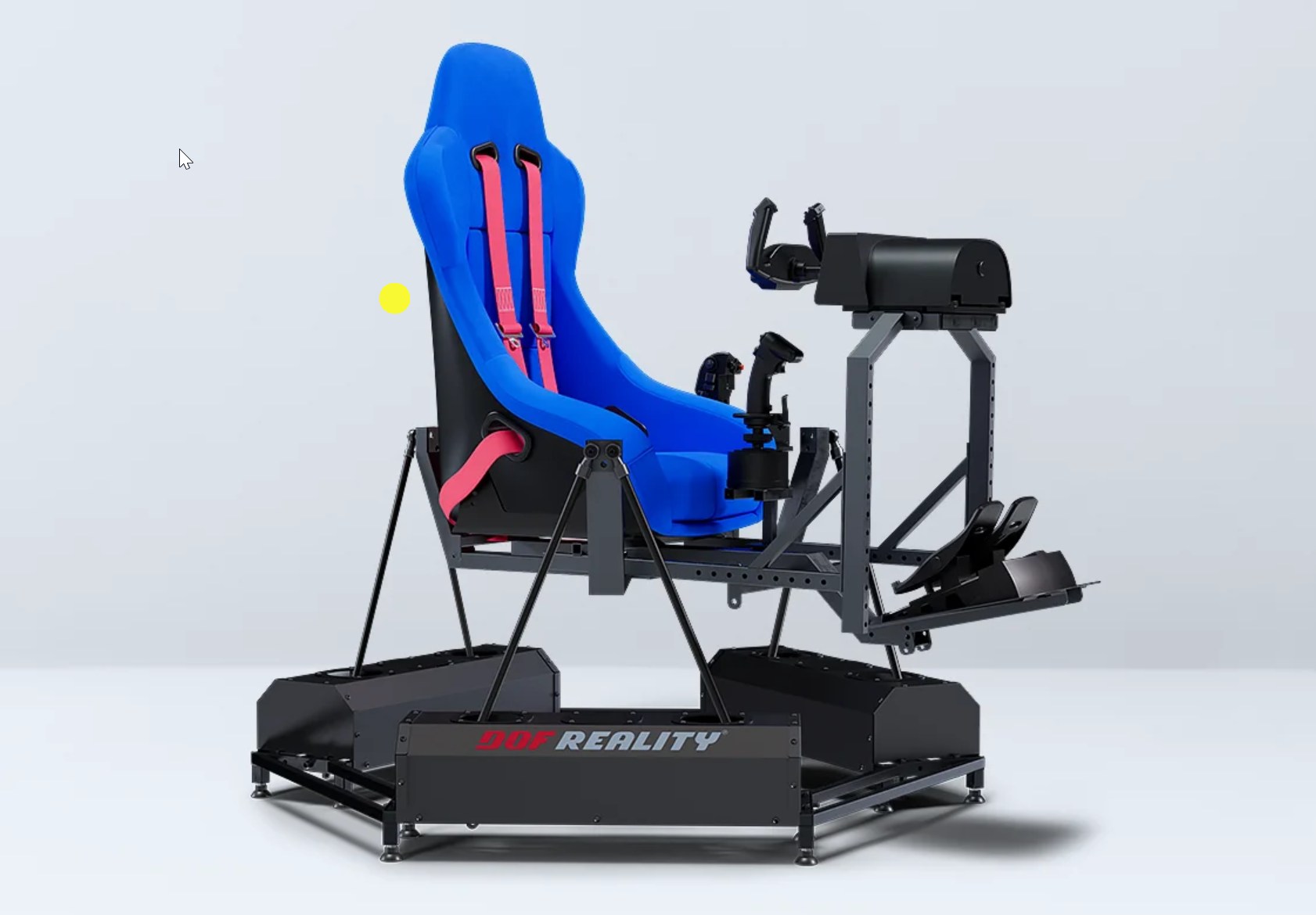
Strap a controller to the frame
Mount a Quest controller to your rig, set a mask to real-time controller tracking, and the cut-out follows every pitch, roll and yaw the platform throws at you — recomputed each frame. On a static pit it does the same job for a panel you want pinned to real hardware rather than to the virtual world.
What you need
- DCS World — running in VR.
- A passthrough headset — Meta Quest 3 / 3S (also Quest Pro, and Pico builds that support it).
- Virtual Desktop with VDXR as the OpenXR runtime — it does the chroma-key work. (ALVR works too.)
- Windows 10 / 11 and a ~30 MB installer. It updates itself.
Tethered PCVR headsets without passthrough cameras (Reverb G2, Index, Pimax) can't show real hardware through a chroma-key cut-out — there's nothing to show through. The kneeboard, DCS messages, document and window panels still work there; they just sit on black instead of on your cockpit.
Try it in your own pit
Install, draw one window over your throttle, and fly a mission. That's usually enough to know whether it's for you.
New to it? Start with the Getting Started guide, or the DCS kneeboard walkthrough. Stuck? Troubleshooting.